Why Your Fort Myers Business Isn't Showing Up on Google Maps
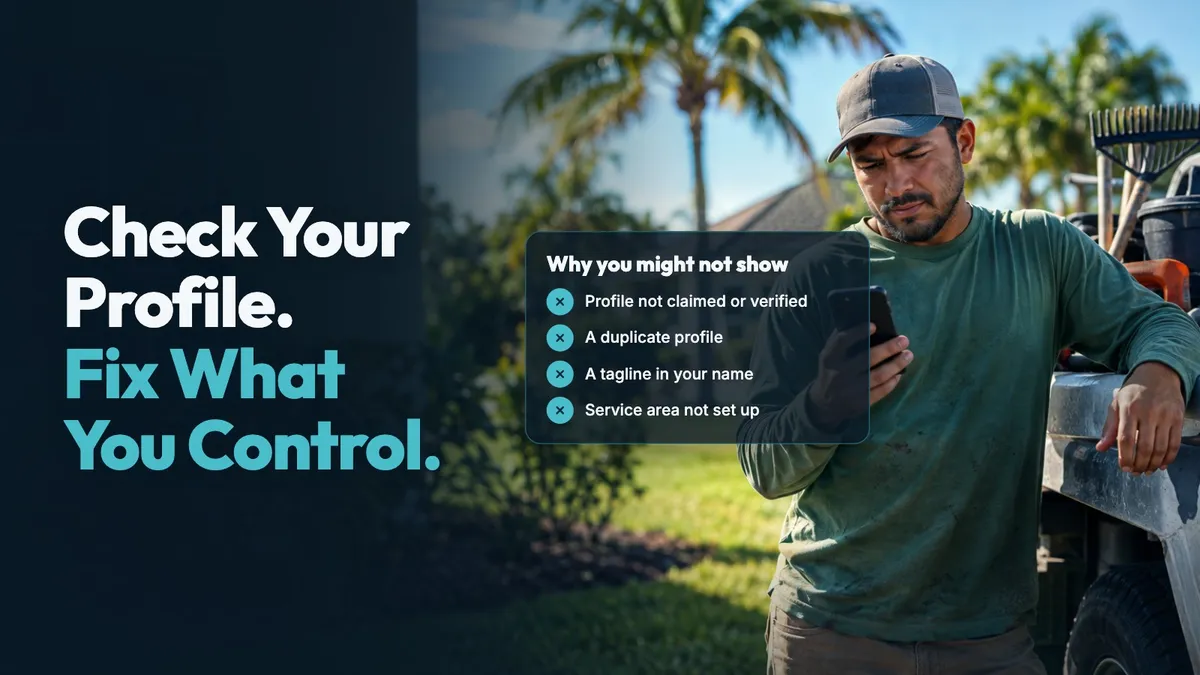
Your Fort Myers business may not show on Google Maps because your Business Profile is not claimed or verified, a duplicate exists, your name or address breaks Google’s rules, your service area is not set up, or the searcher is too far away. Google decides what appears for each search, so no one can promise a spot.
Say you run a landscaping crew near McGregor Boulevard. You search from your truck and cannot find your business. Before blaming your website, check the profile itself. A few basic setup problems can keep the right information from appearing when people search.
Why this matters in Fort Myers
Google Maps is not one fixed list that every person sees. Google says local results are mainly based on relevance, distance and prominence. Relevance is how well a Business Profile matches the search. Distance is how far the business is from the person searching. Prominence is how well known the business is, based on information such as links from other websites and reviews. Google’s explanation of local results also says that no one can request or pay for better local placement.
That means a search from downtown Fort Myers can look different from the same search in North Fort Myers, Cape Coral or Estero. A plumber may serve much of Lee County, but a person searching from outside the usual work area may see different results. That does not automatically mean your profile is broken.
Location matters in a growing area. The U.S. Census Bureau estimates that Fort Myers reached 101,581 people on July 1, 2025, after growing 17.5% from its April 1, 2020 estimates base. Cape Coral and Naples grew over that period too. People search from new homes, job sites and neighborhoods across Southwest Florida. Your profile needs current details so Google can understand where you are and what you do.
A missing Maps result can also come down to a setup issue. An unverified profile may not be ready to appear. An extra profile can cause confusion. So can an address that does not meet Google’s rules. The good news is that you can check each of these items yourself.
Check these Google Maps issues this week
- Claim and verify your profile. Google says an owner must add or claim the business and then verify the Business Profile to show a business on Search, Maps and other Google services. If your business moved after verification, Google says you must verify again. A name change may require it too. Start with Google’s profile editing instructions and make sure you can manage the profile.
- Look for a duplicate. Search Google and Maps for your business name, any old name, your phone number and your address. Google allows one Business Profile per business. It says a profile it considers a duplicate will not show on Search or Maps. Do not make a new profile because you moved or added a service. Google says to update the existing one instead. Read Google’s duplicate-profile guidance before changing or removing anything.
- Use your real business name. Your profile name should be the name you use in the real world, not a list of services or towns. Adding wording such as “Fort Myers Roof Repair,” “Best Landscaping,” or a long service list can cause trouble when it is not part of the actual business name. Google’s business representation guidelines say unnecessary marketing taglines, service details and location details are not permitted in the name and could lead to suspension.
- Check the address. Google’s guidelines say a rented mailing address where you do not operate, a virtual office, P.O. box or remote mailbox is not an eligible business address. If people visit your location during your stated hours, use the real location. If you travel to customers, do not show an address simply to appear in a certain town.
- Set up your service area honestly. If you do not serve customers at your own address, Google says to remove the address and list a service area instead. This often fits painters, cleaners, mobile detailers and home-service trades. Google’s service-area help page says a profile can list up to 20 service areas by city, postal code or another area. It also says the overall area should not be more than about 2 hours of driving time from where the business is based. List places you actually serve, such as Fort Myers, Cape Coral or Bonita Springs.
- Review the basic details. Check your category, phone number, website, hours and services. Keep them accurate. If the profile sends people to an old website or phone number, correct it. Update hours when they change for a holiday or season. Conflicting details make it harder for a person to know what is right.
- Test from more than one place. Search for the service and town you want to be known for, not only your exact business name. Try from a different part of town, or ask someone in your real service area to look. Write down what appears, but do not chase every change. Google’s distance factor means results can vary by where the search happens.
Keep notes before editing. Record the profile name, address setting, service area, category and verification status. If you find a duplicate or ownership issue, use Google’s process rather than opening another profile. That gives you a clear record of what changed.
Know what you control. You control whether your business details are accurate and within the rules. Google controls which profiles appear for a particular search. A complete profile is worth maintaining, but it cannot make your business appear for every person in every location.
Make your website match your profile
Your website and Business Profile should tell the same plain story: what you do, where you work and how people can reach you. If your profile says Fort Myers handyman but your website only has a vague home page, a visitor may not quickly understand your services or service area. If the website lists an old number, it can create confusion after someone finds you on Maps.
Keep your service pages, contact details and location information current. Reviews matter as well. Google says more reviews and positive ratings can help local placement. Ask after a real visit and make it easy for people to respond. For a closer look at the factors Google names, read how Google decides which local businesses show up first.
How Deja Vu Marketing can help
We build a website on your own domain that clearly says what you do and where you work, so what Google and customers find can match your Business Profile. You own your pages, your domain is in your name, and your customer list goes with you if you leave. Every plan includes review requests after visits. On the AI plan, we also reply to Google reviews. We can help keep the website side clear while you handle the profile details Google requires. We serve local businesses from Cape Coral to Fort Myers, North Fort Myers, Sanibel, Bonita Springs and Naples. We never promise placement on Google Maps.
See your website before you decide anything
Book a free 15-minute call and ask for a free preview. We'll build a sample website from your public Google listing before we talk, so you can see what yours could look like. We meet in person anywhere from Cape Coral to Naples, and it's month-to-month, with no contract.
Book your free 15-minute call or call or text (239) 990-3072. Our AI assistant answers day or night.
Sources
- Google. (n.d.). Edit your Business Profile. Google Business Profile Help. Retrieved October 23, 2026, from https://support.google.com/business/answer/3039617
- Google. (n.d.). Resolve duplicate profiles & ownership issues. Google Business Profile Help. Retrieved October 23, 2026, from https://support.google.com/business/answer/12756178
- Google. (n.d.). Guidelines for representing your business on Google. Google Business Profile Help. Retrieved October 23, 2026, from https://support.google.com/business/answer/3038177
- Google. (n.d.). Manage your service areas for service-area & hybrid businesses. Google Business Profile Help. Retrieved October 23, 2026, from https://support.google.com/business/answer/9157481
- Google. (n.d.). Tips to improve your local ranking on Google. Google Business Profile Help. Retrieved October 22, 2026, from https://support.google.com/business/answer/7091
- U.S. Census Bureau. (n.d.). QuickFacts: Cape Coral city, Florida; Fort Myers city, Florida; Naples city, Florida. Retrieved October 23, 2026, from https://www.census.gov/quickfacts/fact/table/capecoralcityflorida,fortmyerscityflorida,naplescityflorida/PST045225